Template:Biome: Difference between revisions
Jump to navigation
Jump to search
CptTwinkie (talk | contribs) mNo edit summary |
CptTwinkie (talk | contribs) mNo edit summary |
||
| Line 27: | Line 27: | ||
|wonders={{Small_Image_Link|No.png|Dariosy Raj}}<br /> | |wonders={{Small_Image_Link|No.png|Dariosy Raj}}<br /> | ||
{{Small_Image_Link|No.png|Frozen Chasm}} | {{Small_Image_Link|No.png|Frozen Chasm}} | ||
|crops= | |crops={{Image_Link|Wheat Straws.png|Wheat Straws}} | ||
|ores= | :{{Image_Link|FlaxBundle.png|Flax Straws}} | ||
|flora= | |ores={{Image_Link|IronOreIcon.png|Iron Ore}} | ||
|flora={{Image_Link|No.png|Palm Trees}} | |||
:{{Image_Link|No.png|Hazel}} | |||
}} | }} | ||
<br /> | <br /> | ||
Revision as of 17:58, 20 December 2017
Example
Biome
Kingdoms

Wonders
{{{wonders<Information Missing>}}}
Kingdom Information
Food and Crops
File:Wheat Straws.png Wheat Straws
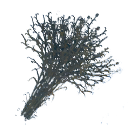
Ores
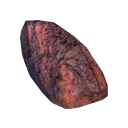

Flora
Usage
The Image Link template is meant to be used when adding items to a list that have numbers and images.
{{Kingdom
|kingdoms=<kingdoms?>
|wonders=<wonders?>
|crops=<consumables?>
|ores=<ore_types?>
|flora=<plants_and_trees?>
}}
- The code above can be pasted into your page and edited.
- Items marked with a "?" do not have defaults and will display <Information Missing> if they are not filled in.
Example Source
{{Kingdom
|biomes={{Small_Image_Link|No.png|Arctic Biome}}<br />
{{Small_Image_Link|No.png|Tundra Biome}}
|wonders={{Small_Image_Link|No.png|Dariosy Raj}}<br />
{{Small_Image_Link|No.png|Frozen Chasm}}
}}